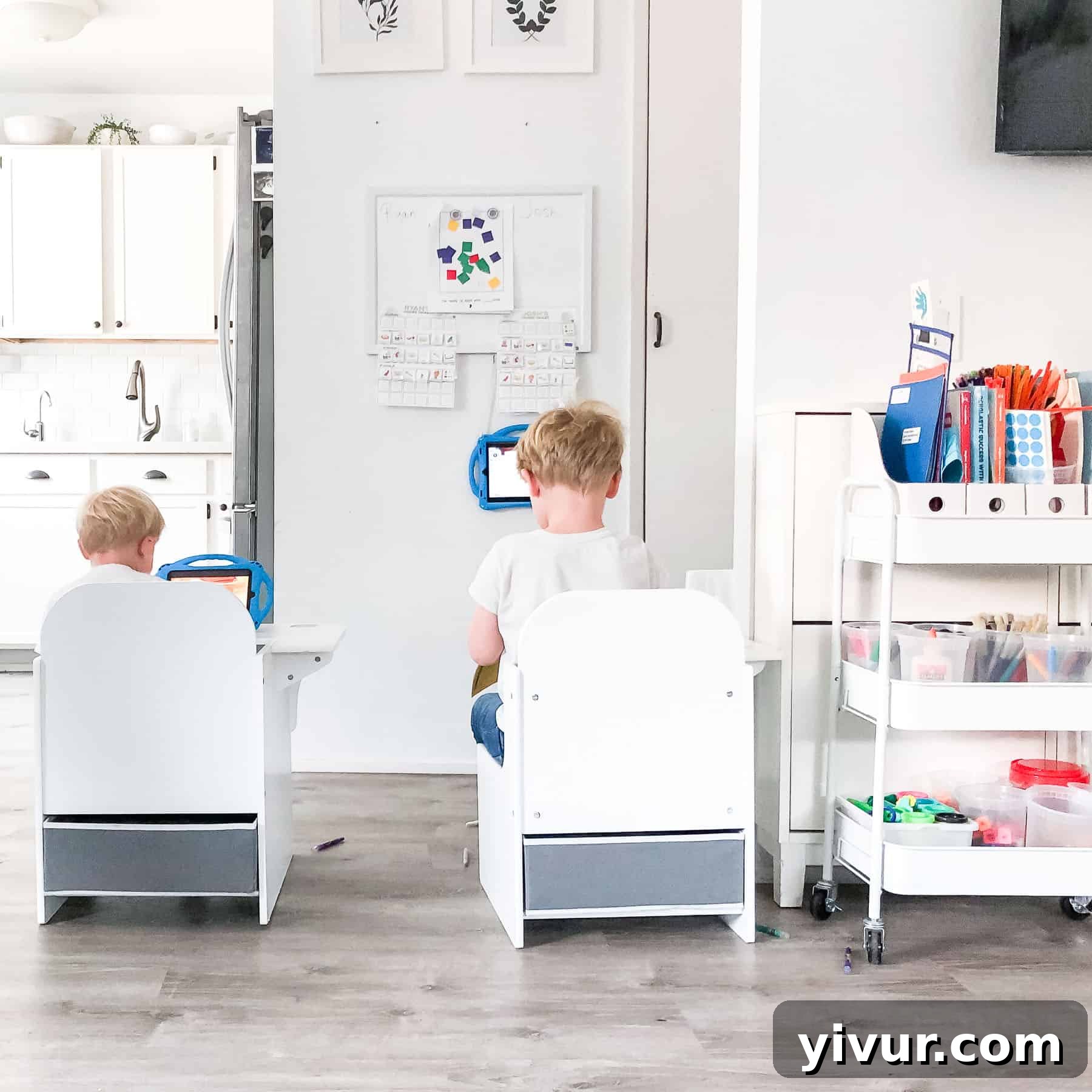
Transforming a compact living space into an effective and inspiring virtual learning zone for kindergarteners and preschoolers. Explore practical home setup ideas, essential tools like a child’s desk and art cart, and strategies for managing young children in a small home environment.
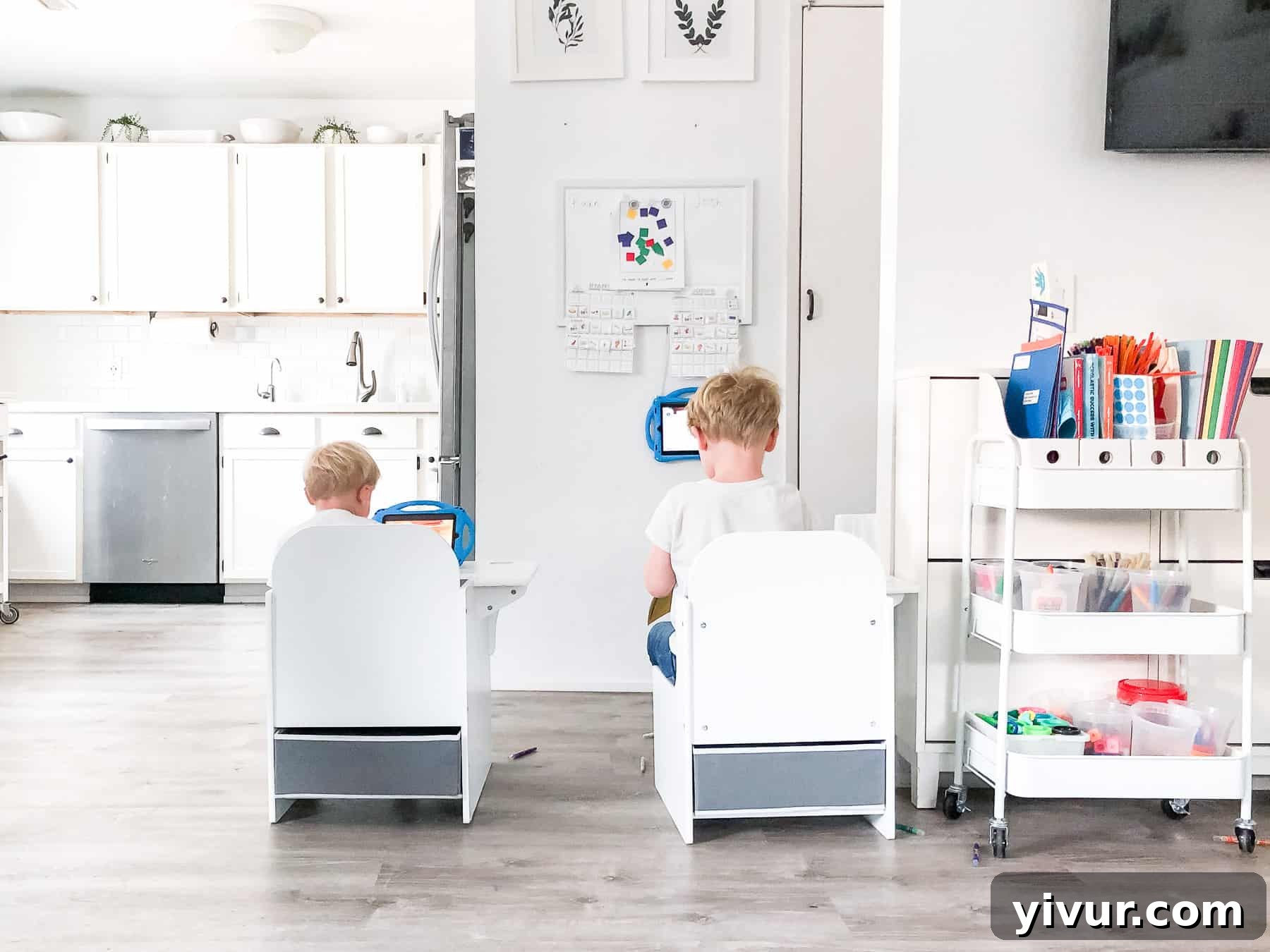
Creating an Engaging Virtual Learning Hub for Young Children in a Small Home
The landscape of education has shifted dramatically, bringing virtual learning to the forefront for many families. For us, this fall marked the beginning of a new adventure: pre-kindergarten virtual learning for our almost 4-year-old son, Josh. With another energetic 2-year-old, Ryan, also at home, and being pregnant, the decision to embrace remote schooling felt like the safest and most relaxing path for our family. It’s truly a unique bonus year, allowing us to cherish these precious early years at home together, while still ensuring the boys receive structured learning experiences.
Living in a cozy 700 square foot tiny home presents its own set of challenges, especially when carving out dedicated spaces for activities like virtual schooling. Every inch counts, and multi-functional solutions are key. My goal was to design a virtual learning area that was not only functional and inspiring for Josh but also seamlessly integrated into our small living space without overwhelming it. It needed to be affordable, aesthetically pleasing, lightweight enough for easy storage, and highly effective for two busy little learners.
Through careful planning and a bit of creativity, I discovered some fantastic solutions that fit all our criteria. These ideas have allowed us to create a vibrant learning corner that supports Josh’s early education journey while keeping our home clutter-free and adaptable. Join me as I share our journey, from selecting the perfect child-sized desk to organizing essential supplies with an art cart, and navigating the day-to-day realities of virtual learning in a compact environment.
A Glimpse into Our Virtual Learning Setup: Watch the Tour
Curious to see our compact and efficient virtual learning space in action? Get a closer look at how we’ve organized everything to maximize functionality in our small home. This video tour provides a visual guide to all the elements we’ll be discussing, from the dedicated desk area to the art cart brimming with supplies.
Essential Elements for a Functional Pre-Kindergarten Virtual Learning Area
Creating an effective virtual learning environment, particularly for young children in a small home, hinges on selecting the right tools and furniture. My focus was on items that are durable, multi-functional, and easy to store, ensuring they support learning without permanently taking up valuable space. Here are the core components that have made our pre-kindergarten setup a resounding success:
-
The Perfect Child-Sized Desk: A Foundation for Focus
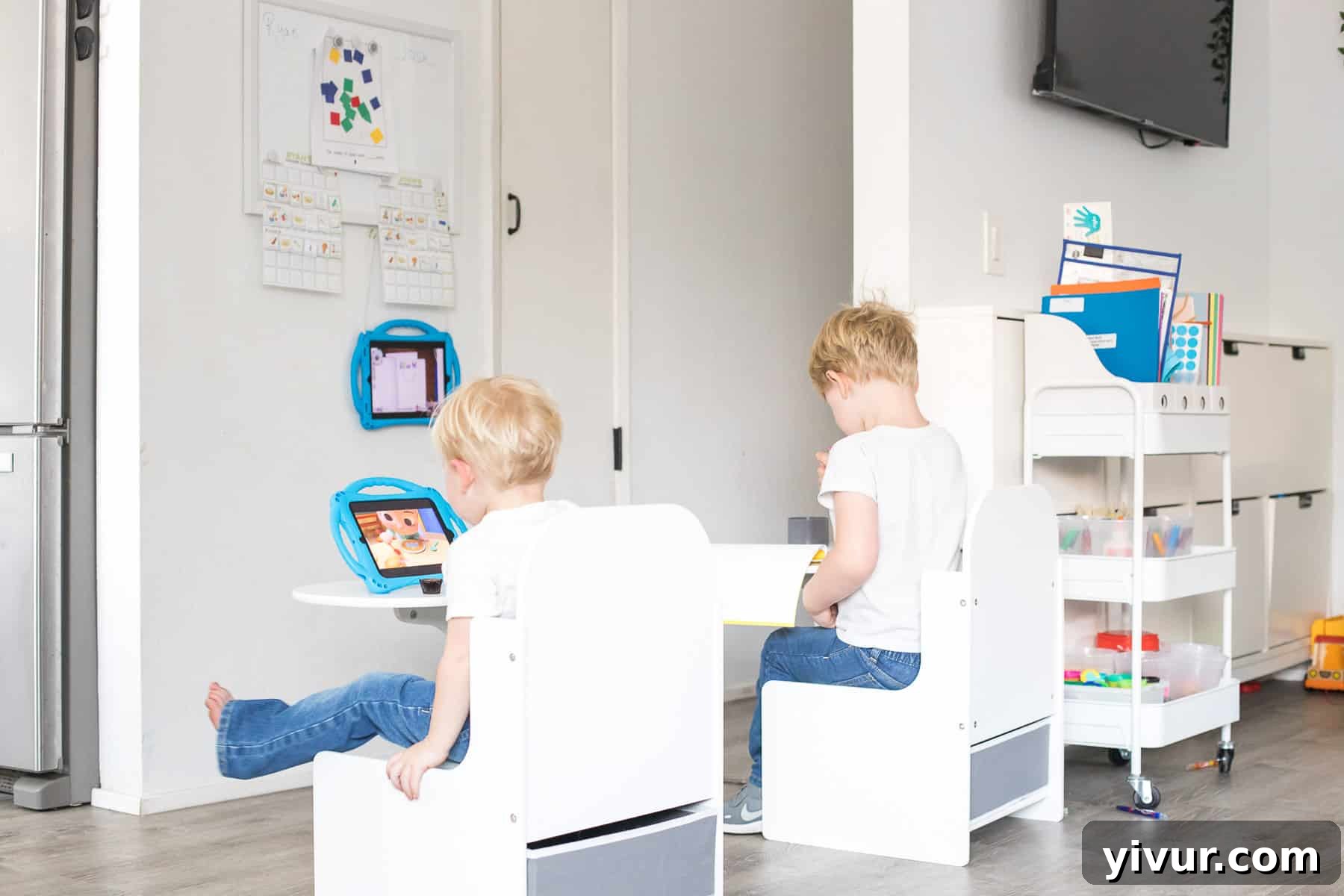
The cornerstone of any dedicated learning space, even in a small home, is a comfortable and appropriately sized desk. I chose this Child Size Desk in white, and it has proven to be an absolute game-changer. Its compact footprint is ideal for our tiny home, yet it comfortably accommodates both my 2-year-old and my almost 5-year-old. What truly sets this desk apart is its thoughtful design:
- Durable Surface: The white surface easily wipes clean, making accidental crayon or marker mishaps a non-issue. A simple dry-erase marker can even remove tougher marks!
- Integrated Storage: It features a convenient cup holder, perfect for keeping art supplies like pencils or brushes within easy reach. Below, a grey storage bin is included, offering discreet space for books, papers, or small toys, helping to maintain a clutter-free zone.
- Stability and Ergonomics: Unlike a traditional table and chair set where leaning back can lead to falls (a lesson learned from a previous IKEA table, which now serves as an outdoor art station), this attached desk design provides superior stability. This encourages better posture and focus for active young learners, making it feel more like a “school” environment.
-
Multi-functional Whiteboard: Organization and Interaction
A simple Hanging White Board instantly transforms a blank wall into a dynamic learning tool. We use it not just for drawing, but as a central hub for daily assignments and creative displays. Coupled with these versatile white board magnets, it efficiently holds homework sheets that Josh needs for the day or displays his freshly completed artwork to dry. Our resourceful approach extends to even finding a clever way to hang his iPad using pipe cleaners attached to small metal hooks my husband added to the bottom – a testament to making every item work harder in a small space!
Empowering Independence: Our Personalized Chore Charts
Hanging prominently from the whiteboard are their personalized chore charts. These visual aids have been incredibly effective in teaching responsibility and routine. I created them myself, drawing heavy inspiration from a design shared by my friend Karin (@joyinthemeantime). For those interested, I’ve made the chore chart files available for free download (though customization requires basic photo editing skills).
To ensure durability against the enthusiastic hands of young children, I laminated the charts using this laminator and its accompanying sheets. The process involved carefully cutting out the clipart, laminating, and then recutting them – a bit time-consuming, but the boys’ excitement and engagement with their charts made it entirely worthwhile. Finally, these sticker velcros allow them to easily attach and remove their completed chore icons, fostering a sense of accomplishment.
-
Smart Tech Integration: iPads for Young Learners
In today’s virtual learning landscape, a reliable device is essential. For Josh, an open box 2017 10″ iPad proved to be a budget-friendly yet fully functional solution, significantly cheaper than a brand new model. Its intuitive interface makes it far more accessible for a preschooler than a traditional laptop. To protect it from inevitable drops and spills, it’s housed in a sturdy child’s case. Our younger son, Ryan, also has his own device – an older iPad mini (no longer widely available), similarly protected by its own child-friendly case. This allows Ryan to be entertained with educational shows or games while Josh focuses on his virtual lessons, creating a more manageable learning environment for both.
-
The Versatile Art Cart: Mobile Organization for Supplies
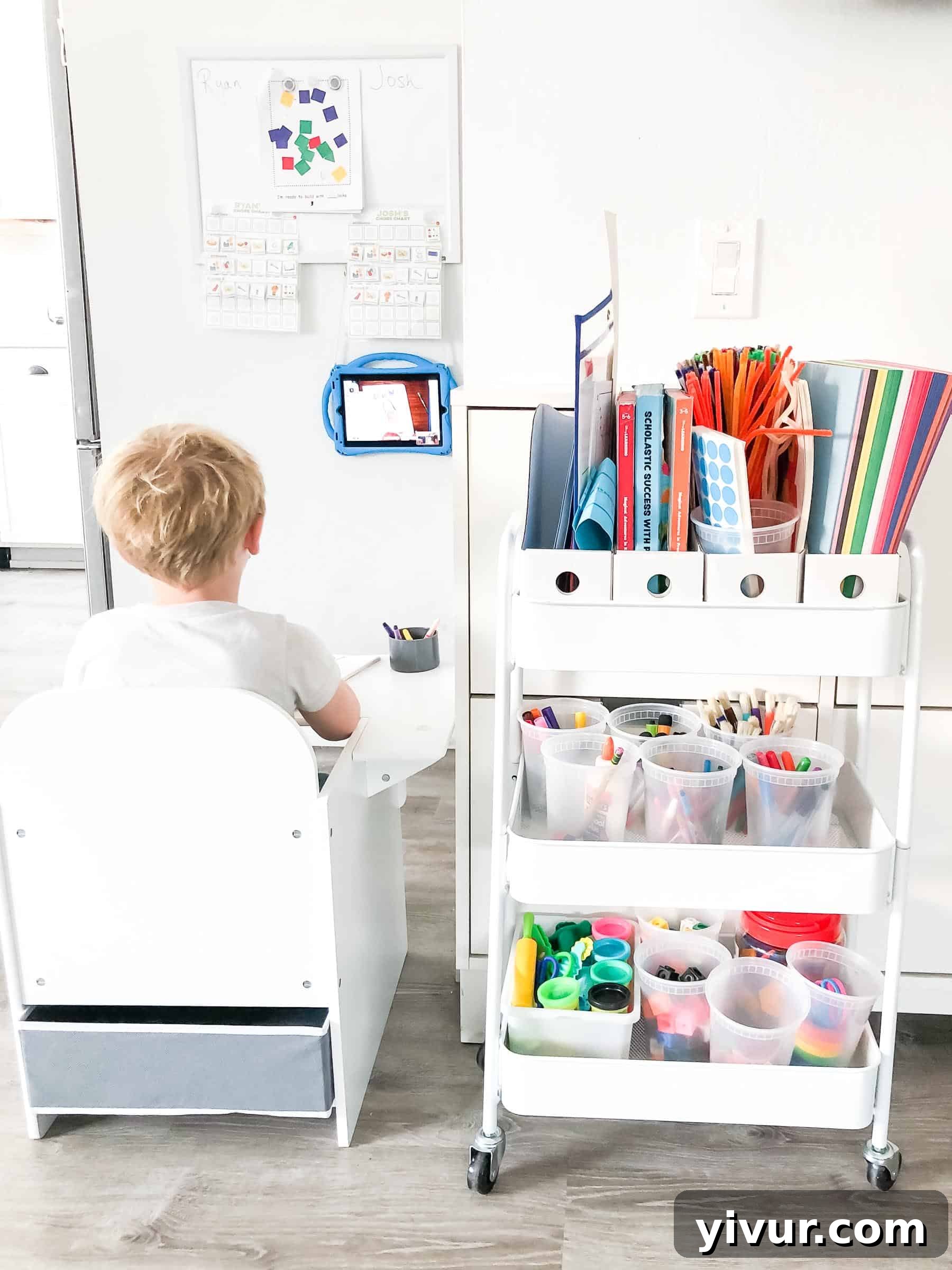
In a small home, maximizing vertical space and maintaining flexibility is crucial. The White Art Cart has been an absolute lifesaver for organizing all of Josh’s school supplies. Its mobility means it can be rolled out during school hours and neatly tucked away when not in use, a perfect space-saving strategy. Within its tiers, we utilize clever inserts to keep everything tidy:
- White magazine files are ideal for neatly storing papers, worksheets, and completed homework, preventing clutter from accumulating on the desk.
- Various sizes of plastic containers house smaller art and school supplies, keeping crayons, markers, and craft items categorized and easily accessible for little hands. This system not only keeps everything organized but also empowers Josh to retrieve and put away his own supplies, fostering independence.
-
Curated School Supplies: Fueling Creativity and Learning
Filling the art cart with engaging and age-appropriate school supplies is key to keeping young learners motivated and creative. We’ve stocked ours with a thoughtful selection designed to support both structured lessons and free-form artistic expression:
- Child scissors: Essential for developing fine motor skills and safe crafting.
- Twistable crayons: Less mess, no sharpening, and perfect for small hands.
- Washable markers: A must-have for easy cleanup and vibrant creations.
- Dry erase markers: For use on the whiteboard and practicing letters or numbers.
- Play-doh: Stored in a plastic bin, complete with various tool sets for endless sensory play and fine motor development.
- Rainbow masking tape: For creative projects, securing papers, and developing practical skills.
- Construction paper: A staple for drawing, cutting, and countless art activities.
- Paint brushes: For artistic expression and early art exploration.
- Dot stickers: Great for developing pincer grasp, pattern recognition, and decorative fun.
- Pipe cleaners: Versatile for crafting, sculptural projects, and fine motor practice.
- Math building cubes: For hands-on math concepts, counting, and pattern building.
- Geometry blocks with accompanying block activity papers: To introduce early geometry, spatial reasoning, and problem-solving through play.
Navigating the Realities of Virtual Learning: Our Experience So Far
We’re now several weeks into our virtual learning journey, and while there’s always a new rhythm to find, we’re settling into a productive groove. The initial worries about workload and screen time for a 4-year-old have largely been alleviated by the thoughtful structure provided by our school district.
Curriculum and Workload: Simplified for Success
One of the biggest advantages has been the school’s comprehensive support in providing all necessary supplies. Every two weeks, we pick up a neatly organized kit containing every ditto, worksheet, manipulative, and art project component Josh will need. This eliminates the stress of sourcing materials and ensures we’re always prepared. My daily routine simply involves laying out the specific items Josh needs for his lessons, making the preparation seamless and manageable for both of us.
The Daily Schedule: Designed for Young Attention Spans
Initially, a school schedule running from 8:00 AM to 11:30 AM seemed incredibly long for a pre-kindergartener. However, the actual virtual interaction time is ingeniously broken down to suit short attention spans. Josh typically engages in three distinct Zoom sessions:
- 8:00 AM Session (20-30 minutes): This kickstarts the day with attendance, a shared story, and an engaging review of the alphabet. It’s a gentle introduction to school time.
- 9:00 AM Session (Small Group): This is where the hands-on learning truly happens. Josh participates in a smaller group with half the class (the other half meets at 9:30 AM), allowing for more individualized attention and collaborative work on art projects or activities.
- 11:00 AM Session (Wrap-up): The final session brings the whole class together. Children proudly display their completed work, enjoy another story, and conclude with a fun song. It’s an adorable and positive way to end the formal learning block.
This segmented approach prevents screen fatigue and keeps the learning dynamic, proving to be incredibly effective and, frankly, quite cute to observe!
Technology in Action: Zoom and Seesaw
Our virtual classroom operates primarily through Zoom for live interactions, creating a wonderful sense of community as Josh sees all his classmates learning from their own homes. For assignments and progress tracking, the school utilizes “Seesaw,” a user-friendly virtual classroom platform. This is where Josh finds simple homework tasks (like “find something red in your house!”) and where I upload photos of his completed projects. It’s an intuitive system that has made navigating the digital aspects of remote learning surprisingly easy.
Beyond the Screen: Purpose and Play
In between Josh’s virtual sessions, our home returns to its usual vibrant mix of free play in the living room and backyard adventures. The integration of virtual learning has, somewhat unexpectedly, brought a welcome structure and “purpose” to our days. It’s been excellent practice for the boys, helping them develop routines and focus that will undoubtedly benefit them as they progress in their educational journeys.
The Sibling Shuffle: A Common Challenge
The most consistent challenge has been maintaining Josh’s focus and assisting him with assignments while simultaneously keeping Ryan, our active 2-year-old, happily entertained. It’s a delicate balancing act that often feels like I need an extra set of hands or a clone! However, with thoughtful strategies, we’ve found ways to manage this daily juggle.
Proven Tips and Tricks for Virtual Learning Success in a Small Space
Successfully navigating virtual learning, especially with young children and limited space, requires more than just the right equipment; it demands a strategic approach. Here are the key insights and practices that have truly set our family up for success, transforming potential chaos into manageable, joyful learning moments:
-
Establish a Dedicated and Defined Work Area
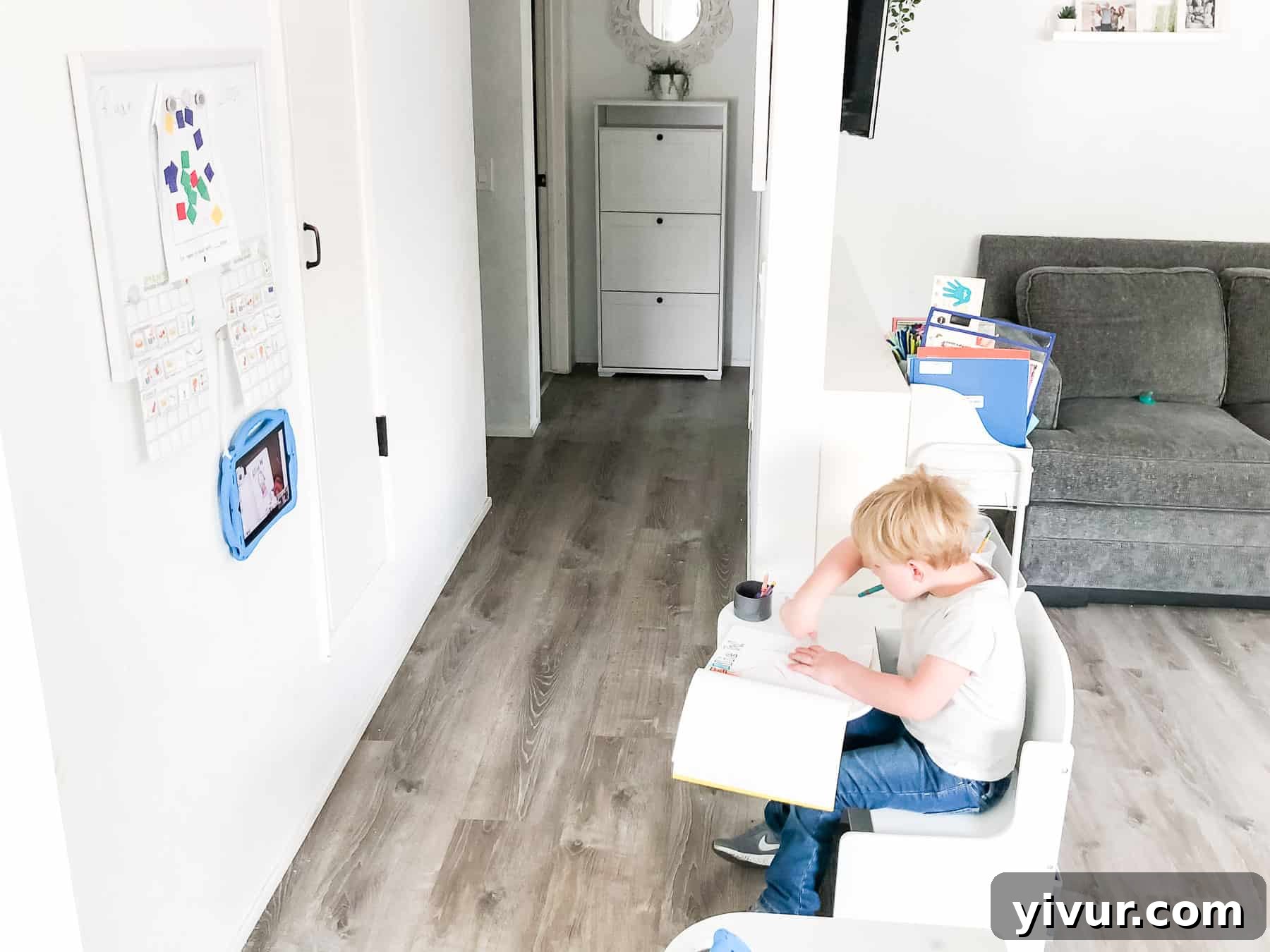
The first day of virtual school was a lesson in itself. Attempting to use my husband’s adult-sized desk proved ineffective; it wasn’t ergonomically suitable for Josh, led to distractions with his father’s belongings, and hindered his ability to focus. The solution: a special, kid-sized work area. By having a desk and accessories that are exclusively for “school time,” we’ve created a clear psychological boundary. When Josh is at his desk, the expectation is learning, not play. This dedicated zone, even if compact, signals a shift in activity and promotes better concentration, an absolute must in a small, multi-purpose home.
-
Strategically Position Your Learning Zone to Minimize Distractions
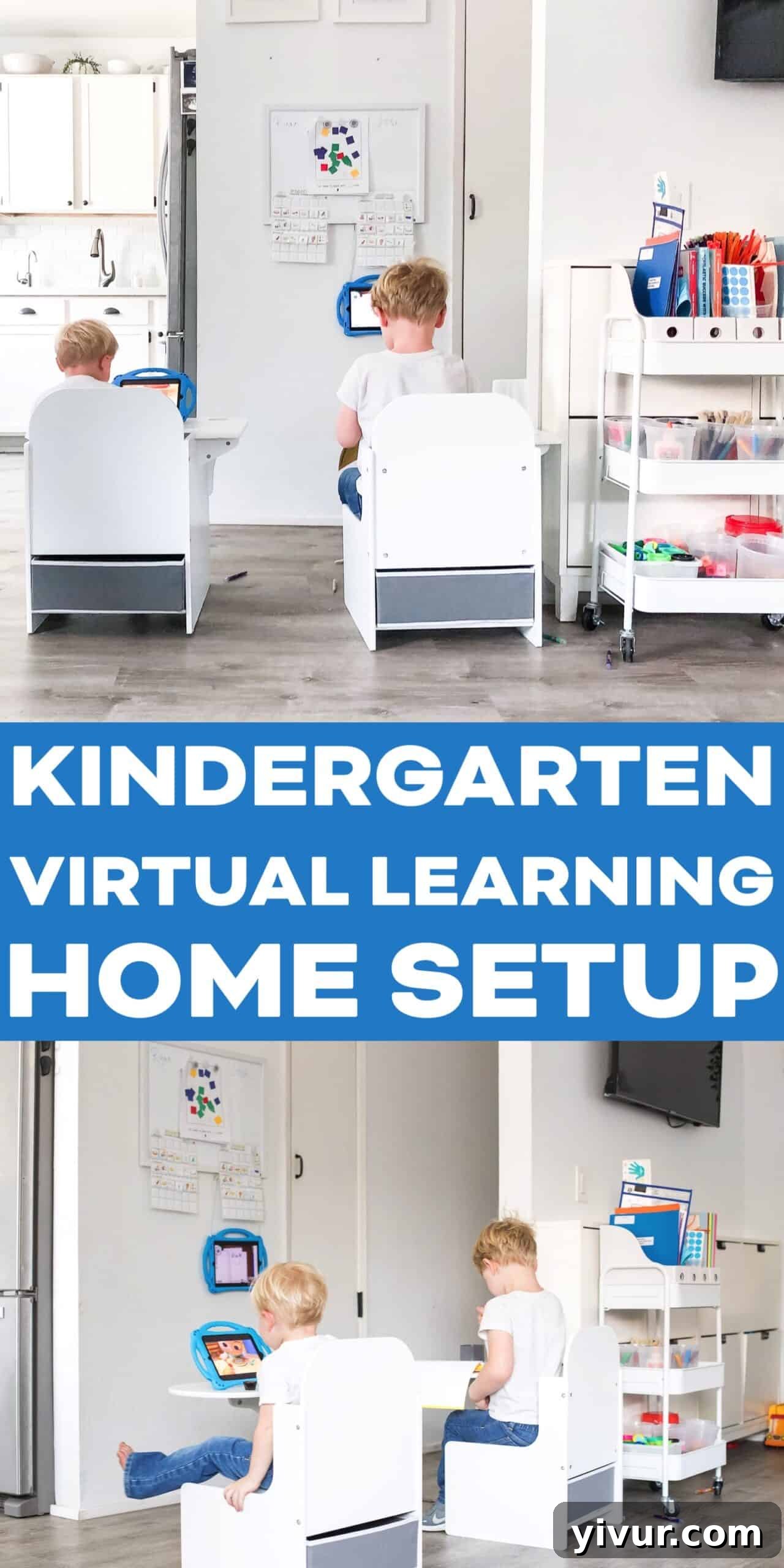
Placement is paramount, especially when trying to maintain focus in a busy household. I intentionally set Josh’s desk to face a plain wall, with our main living room and play area situated behind him. This simple arrangement ensures that his primary visual input during virtual meetings is his screen. Even when his younger brother is actively playing with toys just a few feet away, the “out of sight, out of mind” principle works wonders. By eliminating peripheral distractions, Josh can fully engage with his teachers and classmates on Zoom without being pulled away by the activities around him.
-
Opt for Plain and Functional Desk & Accessories
While character-themed desks and vibrant accessories might seem appealing, they can be significant sources of distraction for young children. My experience confirmed this: Josh would have spent more time gazing at cartoon characters than focusing on his lessons. We deliberately chose a plain white desk. This minimalist approach fosters a calm and uncluttered learning environment. Initially, I had acquired an IKEA kids table, but its separate chair led to constant wiggling and falls. An attached desk design proved far superior for my active “wiggle worm,” providing the necessary stability and reinforcing the “school-like” feel. The IKEA table found a happy second life in our backyard, serving as a versatile art and picnic spot for both boys.
-
Embrace the “Get Ready for School” Routine, Even at Home
Though the camera only captures Josh’s face, the routine of fully preparing for school is incredibly impactful. Every morning, he gets dressed in jeans and shoes, and we do his hair, just as if he were going to a physical classroom. This ritual acts as a powerful psychological cue, signaling to him that it’s time to shift gears from play to learning and focus. While it might be tempting to let him plop down in his pajamas, this structured preparation helps to mentally “ramp him up” for the academic tasks ahead, significantly boosting his engagement and readiness.
-
Curate Special Activities and Toys for Younger Siblings
Managing a younger sibling during virtual learning sessions is one of the toughest challenges. My strategy involves having a dedicated set of “special toys” that Ryan has never played with before. These are *only* brought out when Josh is doing school, creating a novelty factor that often holds Ryan’s attention for the crucial 20-30 minute segments. Additionally, I have no hesitation in resorting to educational shows or allowing him some iPad time if I need to dedicate my full attention to assisting Josh. It’s all about survival and finding what works best to create a harmonious, focused environment for the older child, even if it means flexible screen time for the younger one.
-
Actively Participate and Co-Learn with Your Child
For a child as young as Josh, active parental involvement makes a world of difference. I’ve observed that he thrives when I sit alongside him, participating in the learning process. If left entirely to his own devices, his engagement wanes quickly. I often go the extra mile to duplicate his projects, allowing Ryan to join in at his own developmental level. We approach learning as a family activity, transforming assignments into fun games. This hands-on, supportive approach not only keeps Josh engaged but also creates a positive association with schooling. While some parents might leave their children alone, our family dynamic benefits immensely from this shared experience, reinforcing learning as a collaborative and enjoyable endeavor.
-
Cultivate a Relaxed and Joyful Learning Mindset
Perhaps the most crucial tip is to maintain a relaxed and flexible attitude towards virtual learning, especially at the pre-kindergarten level. My expectations are intentionally low; I view this period more as enriched entertainment, with the added benefit of preparing Josh for future schooling. I deliberately avoid putting immense pressure on him or pushing him relentlessly if he shows resistance. This isn’t the ideal learning scenario, and my priority is to prevent it from negatively impacting our home life or instilling a bad association with school. By framing every lesson and activity as a fun game, we keep the experience positive and light-hearted. After all, it’s just pre-kindergarten! The goal is not necessarily to push for academic mastery in these unique circumstances, but rather to foster an attempt at learning, ensure engagement, and ultimately, “survive” this unconventional educational chapter with smiles.
This post contains affiliate links, thank you for supporting our content!